
Trending
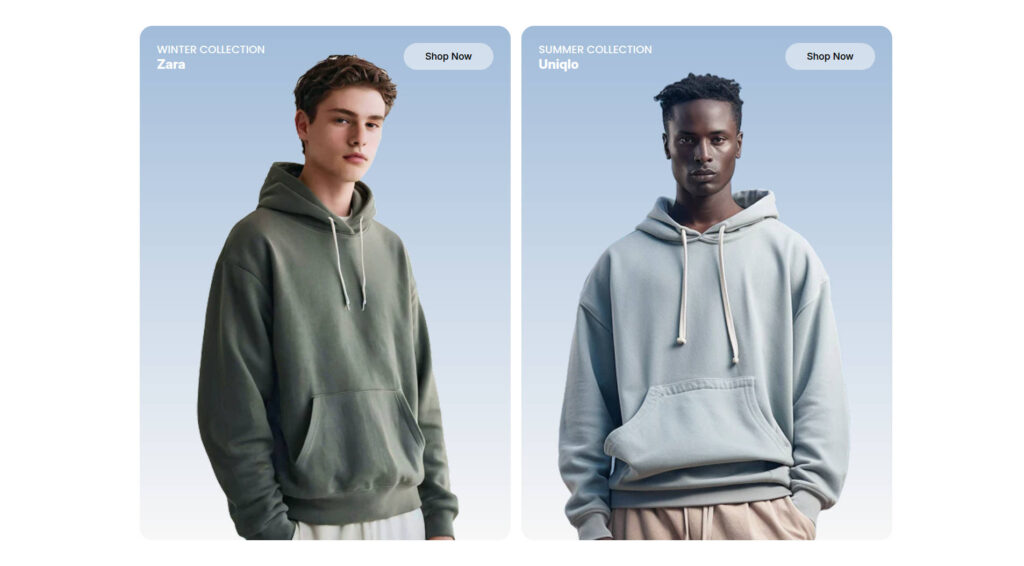
The Trending section lets you create a row of trending cards, each containing an image, title, subtitle, button. It’s ideal for highlighting collection in a unique design.
By default, the section includes one Card block. You can add as many card blocks as needed and arrange them in any order.
Section Settings
| Settings | Default | Description |
|---|---|---|
| Layout | ||
| Padding top | 48px | Sets the spacing above the section |
| Padding bottom | 48px | Sets the spacing below the section |
| Card | ||
| Card radius | 24px | Sets the border radius of each trending card |
| Card height | 580px | Set the card height of each trending card |
Block settings
Card block
| Settings | Default | Description |
|---|---|---|
| Title | Title | Sets the title for the trending card |
| Subtitle | Subtitle | Sets the subtitle for the trending card |
| Button label | Shop Now | Sets the text as button label |
| Button link | None | Applies a solid background color when no gradient is selected |
| Button type | Primary | Select the button style: Primary, Outline, Accent, Light, Link |
| Image | None | Image for the trending card |
| Background solid | none | Applies a solid background color to trending card. Has precedent over background gradient below |
| Background gradient | Linear Gradient | Applies a gradient background to the trending card |