Featured Swiper
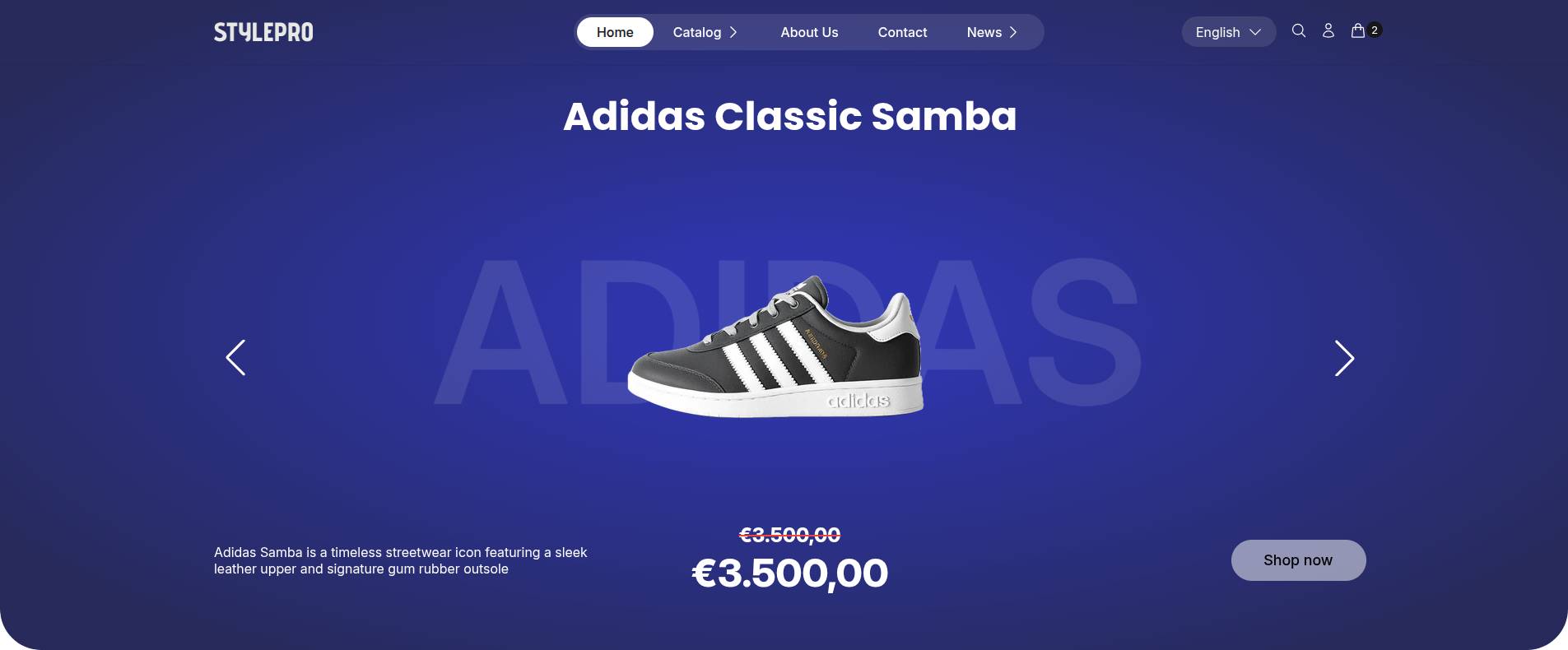
The Featured Swiper section displays a carousel of featured products, allowing customers to browse highlighted items with smooth slide transitions. It is ideal for showcasing new arrivals, best sellers, or promotional products.
Section settings
The following settings are available for the Featured Swiper section

| Settings | Default | Description |
|---|---|---|
| Products | None | Select the products you want to feature in the slider |
| Overlap | False | Enables the slider to overlap the page header. This is recommended only when the Featured Swiper is the first section on the page. |
| Spacing | 90 | Visible if Overlap = true. Adjusts the spacing between the header and the slider to prevent content from overlapping. |
| Swiper | ||
| Background | Radial Gradient | Sets the background style for the entire Featured Swiper section |
| Autoplay | False | Automatically advances to the next slide at the specified interval |
| Delay | 5000 | Visible if Autoplay = true. Specifies the delay (in milliseconds) between slide transitions. |
| Pagination | True | Toggles the slider pagination |
| Navigation | True | Toggles the slider navigation arrows |
| Scrollbar | True | Toggles the slider scrollbar |
| Slide | ||
| Heading size | 5xl | Sets the size of the product title displayed on each slide |
| Heading alignment | Center | Aligns the product title within each slide |
| Button type | Primary | Select the button style: Primary, Outline, Accent, Light, Link |